HabitStakes turns a habit into a short, deliberate commitment. You choose a habit, a daily target, a number of days, and an amount that stands for how much it matters. Every day you hit the target, that day’s share stays protected.
✓No card, no charge, no payout — amounts are motivational records with no cash value.
✓Your commitment, history, and activity ledger stay on your iPhone.
✓No accounts required, no ads, no third-party analytics, no trackers.
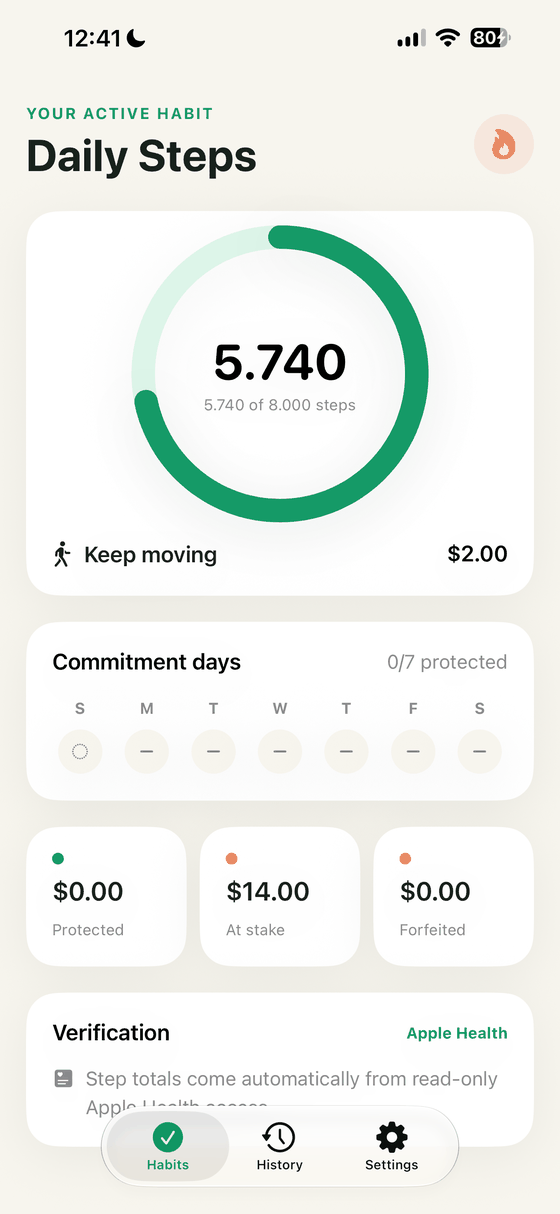
Dashboard with demo data loaded from Settings. Amounts are local records, not balances.
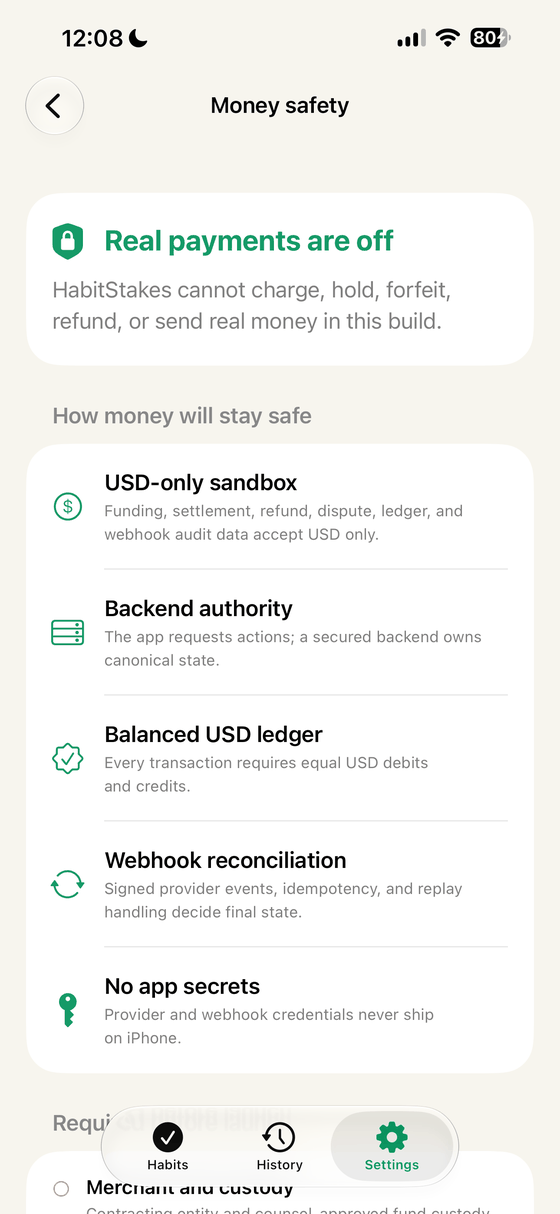
No real money moves in this release
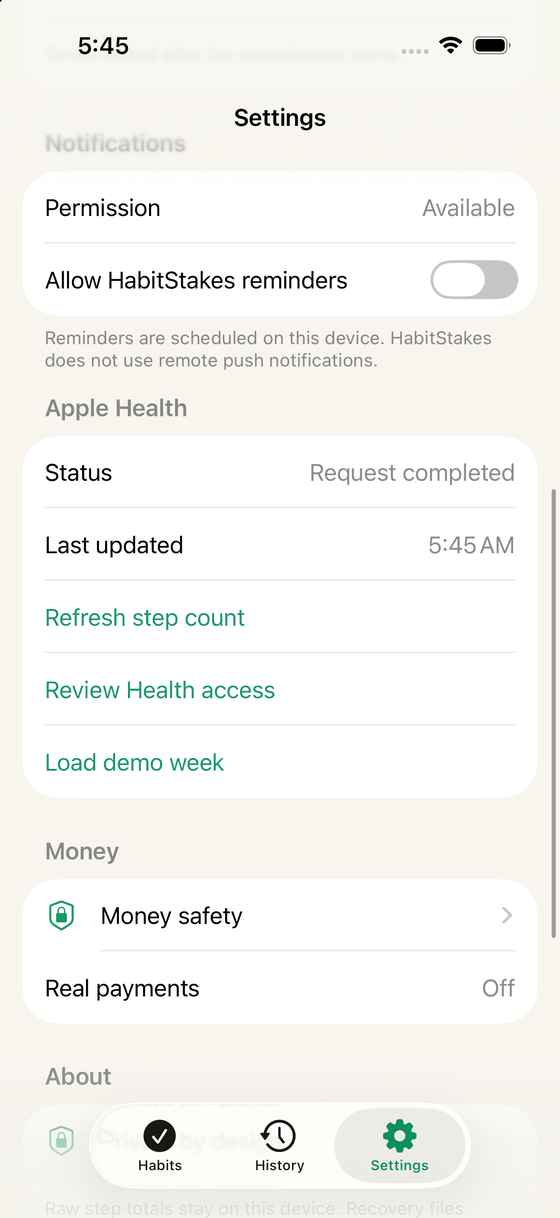
HabitStakes 1.0.0 (2) cannot charge you, hold funds, transfer funds, forfeit money to anyone, or pay anything out. There is no payment processor, no card entry, no wallet, no stored value, and no in-app purchase in this build. The USD figures you see — protected, at stake, forfeited — are motivational bookkeeping calculated on your device from the terms you chose. They have no cash value, cannot be redeemed, withdrawn, or transferred, and are not a bank account, escrow, prize, donation, wager, or investment.
If paid functionality is ever introduced, it would require updated terms, a clear disclosure, and your explicit consent before anything is charged. See the Refund Policy and Terms of Use.
How it works
Set the terms, then show up
HabitStakes keeps one active commitment at a time, so there is one thing to protect and one clear result at the end.
1
Set the terms
Pick a habit, a daily target, a start date, a number of days, and a total amount in USD. HabitStakes divides the total into daily shares in whole cents, assigning any remainder cent to the earliest days, so the shares always add back up to your total.
Terms can be edited until the start date arrives, then they lock so past days cannot be rewritten.
2
Show up daily
Steps are read from Apple Health with your permission. Reading and hydration use explicit check-ins. Focus is measured by an in-app timer that only counts the time it actually observes.
Days are calendar days in the time zone recorded when the commitment started.
3
See the outcome
Each finished day becomes protected or forfeited in your local ledger. A day with no visible data stays unresolved instead of being counted as a miss.
The result screen and History keep the record; nothing is charged, refunded, or transferred.
Habits & verification
Honest verification, clearly labelled
HabitStakes never presents a self-reported check-in as if it were measured by an outside service. Each habit tells you exactly where its number comes from.
Habits available in HabitStakes 1.0.0 (2) and how each day is verified.
Habit
Daily target
How a day is verified
Daily Steps
Steps
Apple Health, read only Daily step totals are read from Apple Health when you grant permission. HabitStakes never writes Health data.
Read Daily
Minutes
Your check-in You confirm the reading time yourself. The confirmation states exactly what will be recorded before progress changes.
Focus Session
Minutes
In-app timer Only elapsed timer time is recorded. Leaving the screen does not award the rest of the target.
Drink Water
Glasses
Your check-in One explicit confirmation per glass, recorded on device.
Accuracy is not guaranteed. Apple Health totals can arrive late, incompletely, or not at all, and check-ins and timers depend on you and on your device clock. HabitStakes is a motivation and record-keeping tool for general wellness. It is not a medical device, it does not diagnose or treat anything, and nothing in the app is medical advice. Read the verification section of the Terms.
Inside the app
Built to be checked, not just believed
Money safety, data controls, and Health status are first-class screens, not fine print buried in a settings list.
Money safety states the boundary in plain language.
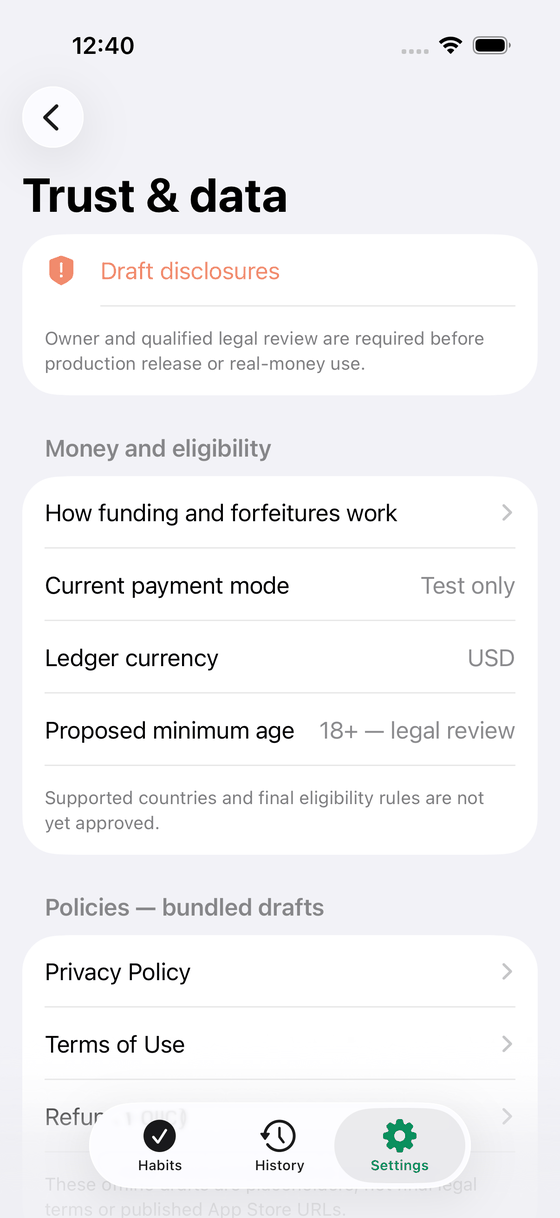
Trust & data collects money mode, policies, export, and deletion.
Reminders are scheduled on device; Health access is reviewable any time.
What is in the app
Everything you need, nothing that phones home
Widgets & Live Activity
Home Screen and Lock Screen widgets show current progress, and a Live Activity can run during the final at-risk hours of a day. Tapping a widget opens the dashboard.
Best-effort surfaces: the system decides when they refresh, so treat the app as the source of truth.
Local reminders
Daily reminders, goal-at-risk nudges, completion alerts, and Health-data warnings are all scheduled on your device. Each type can be turned off separately.
No push tokens, no remote push service, no notification content leaves the phone.
History that stays yours
Completed commitments are archived locally with per-day outcomes, lifetime protected and forfeited totals, completion rate, and streaks.
Archived days are immutable records of what happened, not money.
Optional sign in, encrypted recovery
Sign in with Apple is optional and stays device-local in the Keychain. Recovery is an encrypted file you export yourself, protected by a 256-bit key shown once.
Recovery files exclude Apple identity, Health authorization state, and raw Health-derived step totals.
Export and delete
Export your app-managed records as JSON to Files, or delete everything HabitStakes manages on the device from one confirmed action.
Apple Health data and files you already exported stay under your control.
Trust & data center
One screen shows the current payment mode, ledger currency, proposed eligibility, bundled policy drafts, support contact, your activity ledger, export, and deletion.
The same disclosures you are reading here are shipped inside the app.
Privacy
On-device by design
HabitStakes has no HabitStakes server. There is no account to create, no habit data uploaded, and nothing to log in to.
Health
Read only, and only steps
With your permission, HabitStakes reads daily step totals from Apple Health to verify a steps commitment. It never writes Health data, never uses Health data for advertising, and never sells or shares it with data brokers. You can review or revoke access at any time in the Health app or in Settings.
Storage
Your records live on your iPhone
Commitments, activity, and completed history are stored locally. Optional Sign in with Apple identity is kept in the Keychain with device-only accessibility. Use Delete all local data or Sign out inside the app to remove that Keychain identity: deleting the app removes its container records, but a Keychain item can survive an uninstall.
Not present
No ads, analytics, or payment processor
This release contains no advertising SDK, no third-party analytics, no attribution tracking, and no payment processor. Nothing in the app sets cookies, because the app is not a browser experience.
This website
The site you are reading
This site is static HTML and CSS with no scripts, no cookies, no forms, and no analytics. It is hosted on Cloudflare Pages, which necessarily processes ordinary request and network metadata, such as IP address and user agent, to deliver and protect the page.
No. In this release the app cannot take payment or move funds. Amounts are motivational records calculated on your device, with no cash value and no way to redeem, withdraw, or transfer them.
Is this gambling?
No. Nothing is wagered, no prize can be won, no money changes hands, and there is no element of chance in the outcome — a day is protected when you meet the target you set for yourself.
What happens if I say no to Apple Health?
Apple deliberately does not tell apps whether read access was denied, so HabitStakes cannot claim to know. If no step data is visible, days stay unresolved rather than being marked as missed, and the app points you to Health settings, device data, and a refresh action.
Do I need an account?
No. The app is fully usable without signing in. Sign in with Apple is optional and only stores a device-local identity; it does not create server sync or a cloud backup.
How do I move my data to a new iPhone?
Export an encrypted recovery file and keep its one-time recovery key somewhere safe, then import both on the other device. The file and the key are both required, and neither can be recovered by us if lost.
When is it on the App Store?
There is no announced release date. This site exists so the policies, support route, and behaviour of the shipped build are public and reviewable first.
Health and safety
HabitStakes supports general wellness habits. It is not a medical device and does not provide medical advice, diagnosis, or treatment. Talk to a qualified clinician before starting or changing an exercise, hydration, or sleep routine, especially if you are pregnant, have a medical condition, or are recovering from an injury. If you think you are having a medical emergency, stop and call your local emergency number. Do not use the app while driving or anywhere it would be unsafe to look at your phone.
Read the details before you commit
Everything above is written to match what the shipped build actually does. The policies go further.